Antivirus Deep
- 4.8
- Rating
- 10.00K
- Installs
- Free
- Price

 Analysis by App-foxy
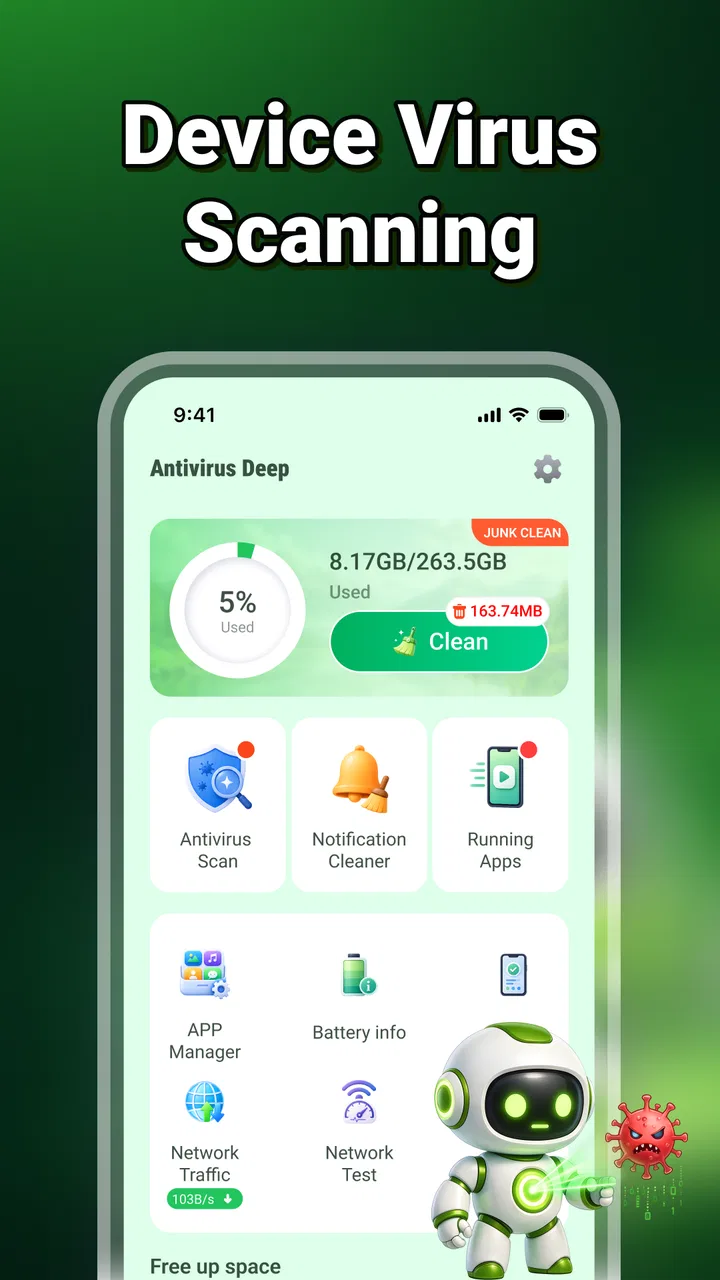
I approached Antivirus Deep as a practical tools app rather than something I would leave running and forget. Its purpose is straightforward: bring virus scanning and junk-file cleaning together in one place. That combination makes sense for people who want a simple maintenance routine on an Android phone, especially if they prefer checking their device manually instead of managing several separate utilities.
My first impression was that the app is aimed at reducing friction. You open it, look for the security check, and then move to cleanup when you want to remove unnecessary files. The experience is easier to understand than a collection of unrelated maintenance tools, although it also means the app should be judged by how useful and trustworthy its core checks feel rather than by the number of extra features it offers.
How I built a useful everyday routine
The most sensible way to use this app is to create a baseline workflow and repeat it only when there is a reason. I would begin with a virus scan after installing the app, then run another check when the phone starts behaving unusually, after downloading files from unfamiliar places, or before handing the device to someone else. I would not treat a scan as proof that every possible security issue has disappeared, but it can be a useful first inspection.
You May Also Like

 AccuWeather: Weather Radar
AccuWeather Review: A Quick, Clear Forecast for Everyday Decisions
For everyday plans, the best forecast is the one you can understand quickly. AccuWeather makes rain timing, radar, and local conditions easy to act on, with a few trade-offs.

 Hill Climb Racing
Why Hill Climb Racing Still Turns Crashes Into One More Run
A tiny car, a bumpy hill and one more upgrade: Hill Climb Racing keeps resurfacing because its simple chaos makes every near-miss feel personal.

 AliExpress - Shopping App
AliExpress Makes Global Shopping Feel Personal, but Shoppers Bear the Risk
AliExpress turns a global marketplace into a pocket-sized discovery engine. Its reach is useful, its shopping loop compelling, and its trade-offs easy to miss.

 Lords Mobile: Kingdom Wars
Lords Mobile Is a Kingdom-Building Routine, Not a Quick Match
A case-by-case verdict on the building, battles, device demands, and social commitments that make Lords Mobile rewarding for some players and exhausting for others.

 PDF Scanner app - TapScanner
TapScanner Makes Paperwork Easier to Capture, Check, and Share
TapScanner makes scanning with a phone feel less like a rescue operation and more like a dependable step in getting work done. Its capture tools are useful, though not flawless.

 Block Blast!
 Shows How Much a Puzzle Game Can Leave Out
A quiet grid game shows why puzzle players increasingly value instant clarity, repeatable skill and low-pressure play—and where the genre still needs to catch up.
More From Our News Desk
View All News


After the security check, I would review the junk-file results carefully before cleaning anything. This order matters. A cleanup tool is helpful when storage is crowded, but pressing a large removal button without reading the categories can create avoidable frustration. Temporary files are one thing; downloads, saved media, or files that I still need are another. The safest habit is to use the results screen as a decision point, not as an instruction to delete everything automatically.
A realistic example would be a phone that has become difficult to manage after months of taking photos, downloading documents, and trying different apps. Instead of installing several cleaners, I would use Antivirus Deep to perform a security check, inspect the suggested junk, and then remove only items I recognize as disposable. The benefit is not a dramatic transformation every time. It is having one repeatable place to start when the phone feels cluttered.
The app is free, which makes that occasional workflow easy to try without turning maintenance into another subscription decision. It is listed for Everyone and requires Android 9 or later, so the audience is broad, though compatibility still depends on the device and its software environment. The developer is Secret Notes, and the current release is version 1.1.0.0.
What I check before trusting a cleanup result
I pay attention to context rather than assuming that every suggested file is useless. If I have recently downloaded an attachment, exported a video, or saved an offline map, I first confirm where that item lives. A good personal rule is to clean in small batches: remove familiar temporary clutter, check whether the phone still behaves normally, and only then consider another pass.
This approach is especially useful on phones shared with family members. A quick scan may be convenient, but the cleanup stage deserves the same care I would give a desktop storage tool. The app can help surface candidates for removal; it cannot know the personal value of every file. That distinction is easy to overlook when the interface presents cleanup as a single maintenance task.
Settings and choices worth checking
With a tool like this, I would spend a little time examining the available settings before making it part of a routine. I look for options that affect scan behavior, cleanup confirmation, notifications, and whether the app expects me to approve actions manually. I would keep confirmation steps enabled whenever possible, because the small delay is preferable to losing something important.
I also avoid treating every alert as urgent. A security tool is most useful when its messages are clear enough to support a decision. If the app reports a concern, I would read the item name and location, consider whether I recognize the source, and then decide what to do. I would not install another application merely because a warning sounds alarming, and I would not assume that a clean result replaces normal caution while browsing or downloading.
Another setting-related habit is keeping the app itself current through the normal app store process. Security tools need maintenance, and an older build may not provide the same experience as the current one. Since this is a relatively focused utility, I would rather keep one trusted version maintained than combine it with several overlapping cleaners that compete for attention.
The app has an average rating of 4.8 from around 180 ratings, with 5 written reviews. That gives me a positive signal about how early users have received it, but I would still treat the rating as one input rather than a guarantee. Security and cleanup apps can behave differently across devices, and personal expectations vary widely: one person wants a manual checker, while another expects continuous protection and detailed technical reports.
Where a cautious user should slow down
I would be particularly careful with any request or result involving personal files. Before approving cleanup, I would close work in progress, confirm that important documents are backed up elsewhere, and avoid running a broad removal immediately before travel or a deadline. The best time for maintenance is when I have room to review the results, not when I am rushing to free space for a recording.
I would also keep the phone’s built-in security and privacy controls in mind. Antivirus Deep can serve as an additional tool, but I would not disable system protections or rely on it as a substitute for sensible app-installation habits. If a phone already has a manufacturer security center, I would compare the two workflows and keep the one that produces clearer results with less duplication.
Faster patterns that still leave me in control
Once I know how the app presents scan and cleanup results, I can make the routine faster without making it careless. My preferred pattern is a short check after a noticeable change: installing several apps, downloading a large group of files, or noticing storage warnings. I would then review only the categories that matter and stop when the problem is solved.
For regular maintenance, I would use a simple calendar reminder rather than repeatedly opening the app out of habit. A reminder every few weeks can prompt a scan when it is useful, while avoiding constant background attention. The exact interval should follow the way I use the phone: someone who downloads files frequently needs a different rhythm from someone who mainly uses messaging and calls.
A second efficient pattern is separating security checks from storage checks. I would scan for threats when I am concerned about a suspicious download or unexpected behavior. I would open the cleanup function when storage is genuinely tight. Combining both tasks every time can make the routine longer and may encourage unnecessary deletion. Keeping the purposes separate makes the app easier to use intelligently.
I also find it helpful to record what I removed during the first few sessions. Not formally, but mentally: if the same kind of temporary clutter appears repeatedly, I know where to look next time. If the results keep highlighting files I need, that is a sign to slow down and reconsider whether this tool fits my habits. This is a small but important insight: the value of a cleaner comes from predictable decisions, not from the largest possible deletion.
When a different tool is the better choice
I would choose a different solution if I needed detailed security controls, enterprise administration, identity protection, or a full privacy dashboard. Antivirus Deep is more appealing as a focused, accessible utility than as a complete security suite. Users who want continuous monitoring, extensive reporting, password management, or device tracking should compare dedicated products designed around those functions.
I would also hesitate to use it as my main storage manager if I frequently work with large media libraries. A file manager or the phone maker’s storage screen may show folders, dates, and personal files more clearly. Those tools are often better when the real problem is organizing photos, videos, and documents rather than identifying temporary clutter.
That comparison does not make this app weak; it clarifies its place. Its advantage is the combination of two common maintenance tasks in a compact workflow. Its trade-off is that a focused interface may not satisfy people who want deep control or a complete explanation of every security event.
Advanced limits I would keep in mind
The most important limitation is the difference between scanning and complete protection. A scan can inspect what the app is able to check, but safe phone use still depends on where applications come from, which files I open, and whether I respond sensibly to warnings. I would never use a clean result as permission to ignore suspicious behavior or install unknown software.
There is also a practical limit to junk cleaning. Removing temporary material may help create breathing room, but it does not solve every storage problem. Large videos, duplicate photos, offline content, and application data may require a more deliberate review. If the phone is full because of valuable personal files, a cleaner cannot replace backup and organization.
Another limit is the need to understand the device’s own behavior. Some phones already perform background optimization, and some applications recreate temporary files immediately after they are removed. If I expect one cleanup to keep storage open permanently, I will probably be disappointed. I see this app as a maintenance checkpoint, not a permanent cure for heavy usage.
I would also judge the app by how transparent its results feel during actual use. A security tool should help me understand what it found and what an action will do. If a result is vague, I would leave it alone rather than guessing. That cautious approach may mean I do not use every suggested cleanup option, but it protects the more important goal: keeping the phone usable without sacrificing files or confidence.
Who gets the most from it
Antivirus Deep suits someone who wants a free, uncomplicated starting point for occasional Android maintenance. It can be useful for a family member who needs a visible scan button, a person who wants to examine junk before removing it, or anyone tired of keeping separate tools for basic checks. The Everyone age rating also makes it approachable for a broad audience, provided that users still understand what they are approving.
I would skip it if I already have a trusted security suite and a well-organized storage workflow. Adding another scanner may create duplicate alerts and make it harder to know which result deserves attention. I would also skip it if I expect professional-grade incident analysis or automatic management of every file on the phone.
Its early adoption is modest, with over ten thousand installs, so I would approach it as a focused utility that is still building its audience rather than as a universally established security platform. That does not decide the app’s quality by itself, but it reinforces my advice to test the workflow carefully on your own device and keep important data backed up.
My verdict after using the workflow repeatedly
I like the basic idea because it is practical: one free tools app for checking potential threats and reviewing unnecessary files. The strongest part is the clear separation between two everyday concerns that often lead people to download multiple utilities. When I use it deliberately, it gives me a manageable starting point instead of turning phone maintenance into a complicated project.
My recommendation comes with boundaries. I would use it as an additional check, not as my only security measure. I would review cleanup suggestions instead of accepting them blindly, keep the device’s built-in protections active, and switch to a dedicated file manager or broader security suite when my needs become more advanced.
For the right person, that balance is the reason to try it. Antivirus Deep is most convincing as a simple, repeatable maintenance companion, not as an all-purpose replacement for every security and storage tool. If your goal is to scan occasionally, inspect junk, and keep the process approachable, it is worth considering. If you need deep reporting, automated protection, or precise file organization, another option will likely serve you better.
Overall, I would recommend starting with a careful first scan, checking the cleanup categories one by one, and then deciding whether the results fit your phone-use habits. That small test tells you more than a long feature list: if the app makes maintenance clearer without adding anxiety, it has found its proper role on your device.
FAQs for Antivirus Deep
01What is Antivirus Deep, and what does it do?
Antivirus Deep is designed to help protect your Android device from potentially harmful applications, suspicious files, and common mobile security threats. After reviewing the app, its main purpose is to provide a simple scanning experience for users who want to check their phone regularly. It may also offer basic security tools, although the exact features can vary according to the installed version and device compatibility.
02Is Antivirus Deep free to download and use?
Antivirus Deep may be available as a free download, but users should check the app’s store listing carefully for advertisements, optional purchases, subscriptions, or feature restrictions. Some security applications provide basic scanning at no cost while reserving additional tools for premium users. Before installing, review the pricing information, trial conditions, and renewal terms so there are no unexpected charges after downloading the application.
03Does Antivirus Deep protect my phone in real time?
The level of real-time protection depends on the version of Antivirus Deep and the permissions enabled on your device. A manual scan can identify suspicious items when you start it, while continuous protection requires the application to operate in the background. Users should read the in-app descriptions and Android security settings to confirm whether real-time monitoring, automatic scanning, or threat notifications are included.
04What permissions does Antivirus Deep require?
Antivirus Deep may request access needed to inspect installed applications, files, storage locations, or running processes. These permissions can be relevant to security scanning, but users should still review each request before approving it. Only grant access that appears necessary for the advertised features, and check the developer’s privacy policy to understand how diagnostic information, device data, and scan results may be collected or used.
05Can Antivirus Deep replace the security features already built into my phone?
Antivirus Deep should be considered an additional security tool rather than a complete replacement for your phone’s built-in protections. Android already includes important safeguards such as app permission controls, security updates, and Google Play Protect on supported devices. For better protection, keep the operating system updated, download applications from trusted sources, avoid suspicious links, and use Antivirus Deep as part of a broader mobile-security routine.
Pros
- Lightweight design with minimal impact on device performance
- Simple interface that is easy for beginners to navigate
- Useful option for checking suspicious files and applications
- Can provide an extra layer of protection for everyday mobile use
- Quick scans make routine security checks convenient
Cons
- Protection features may be limited compared with established antivirus suites
- Some functions may require payment or an upgraded version
- Scan results can occasionally require technical knowledge to interpret
- Background protection may increase battery usage on some devices
- Privacy and data-handling details should be reviewed before use

Antivirus Deep
Gallery